
Shoot to Steal an Egg Controls for every device
Move, shoot, spawn the board, place the egg — the binds that make a steal stick.
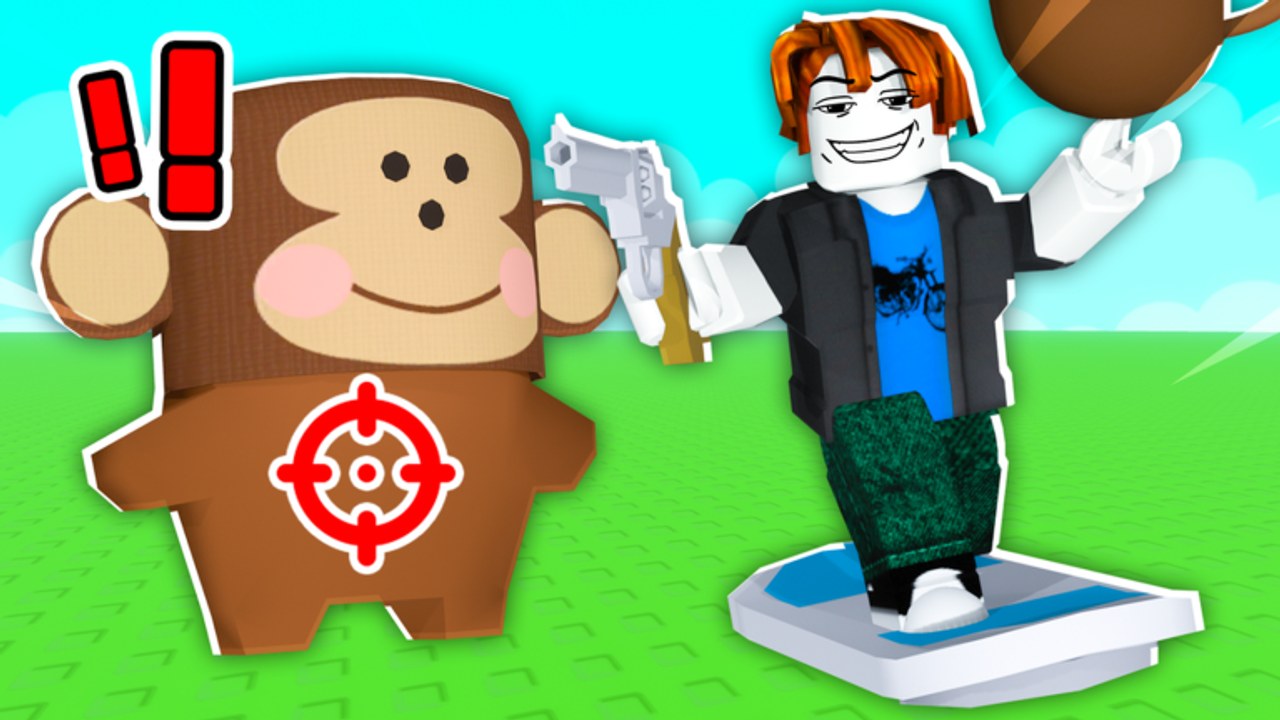
If you cannot find the shoot prompt or the hoverboard button, the rest of Shoot to Steal an Egg does not matter. This page is the device-by-device map of the verbs Beaver Airlines put in the how-to-play list: move, jump, shoot and crack eggs, spawn a hoverboard, place loot in your pen, and open the shop menus that buy treadmill speed. Pair it with Getting Started for the first-hour route, how to steal for raid timing, and hoverboard speed once the board feels glued to the grass.
Exact key labels can shift after an [UPD] or a Roblox client update. Trust the on-screen prompts in this lobby over a generic Roblox control sheet, and re-check binds the first time you join after a title-prefix change.
The verbs that never change
Regardless of PC, phone, tablet, or console, the loop uses the same six actions:
- Move toward an egg you can finish.
- Jump over lips, rails, and panicked ragdolls.
- Shoot / crack until the egg HP bar empties.
- Pick up / steal the cracked egg (often automatic on last hit, sometimes an interact).
- Spawn hoverboard the instant the egg is yours.
- Place / deposit at your pen, then open shop / pets / treadmill menus to spend.
If any one of those is unbound or buried under another GUI, you will die holding Commons. Fix the bind before you chase a Secret.
PC (keyboard and mouse)
Typical Roblox defaults apply for walk and jump: WASD (or arrows) to move, Space to jump, mouse to aim. Shooting is usually left click or a dedicated fire key shown in the experience HUD. Spawn hoverboard is a separate hotkey or GUI button — do not assume it shares the jump key. Interact / place is often E or a proximity prompt when you face your pen.
Shop, pets, and treadmill panels open from corner icons or a backpack-style menu. Close them before a raid; a shop overlay that eats your shoot click is how Epics walk away. If click-to-shoot feels sticky, check whether you are in first-person or shift-lock and whether a mobile-style on-screen button is also covering the crosshair.
Practice the panic sequence on a Common: shoot → pickup → board spawn → turn home → place. Muscle memory beats reading this page mid-chase.
Mobile and tablet
Touch layouts put a virtual joystick on the left and action buttons on the right. Shoot and hoverboard spawn are almost always separate on-screen buttons. The failure mode is the same every session: you keep the thumb on the joystick while tapping spawn, so the character drifts into the boss. Lift the move thumb for a beat, tap spawn, then steer.
Jump is a discrete button; do not mash it while lining a shot or you will hop out of the hitbox and waste the mag. Place / interact appears as a proximity prompt when you reach the pen — stop the board, face the deposit zone, and tap once. Double-tapping shop icons during a getaway opens menus you cannot close fast enough.
Rotate the camera with a drag on empty space, not on the joystick. If the egg is behind you and you cannot find the shoot button, the UI scaled wrong for the tablet — leave and rejoin, or switch to a smaller window scale in Roblox settings.
Console
Controllers use the left stick to move, A / cross to jump (platform default), and a face or trigger button to shoot. Hoverboard spawn should be on a different face or bumper than fire. If shoot and spawn share a chord, you will fire into the dirt every time you try to leave. Open the experience’s prompt strip at the bottom of the screen; Beaver Airlines surfaces the live binds there more reliably than the Roblox pause menu.
Aim assist helps on large eggs and hurts when two players cross your line — tap fire in bursts instead of holding a full mag into a teammate’s steal. Interact / place is usually the proximity button when you face the pen. Shop menus map to the Select / touchpad style button; close them with B / circle before you leave the plot.
Shoot and crack timing
Eggs have HP. Holding fire on a Mythic with a starter gun is how you advertise free farm to the lobby. Tap or burst until the bar moves, then decide whether to finish or walk. Full damage rules live on the weapons guide. Controls-wise: keep the reticle on the egg model, not the boss silhouette, unless the HUD clearly shows the guardian is the HP target.
When the egg cracks, your next input should already be board spawn — not a victory emote, not a chat message, not a shop glance.
Spawn hoverboard under pressure
Bind spawn where you can hit it without looking at the keyboard or the far corner of a phone. On PC, a key near jump (but not jump) works. On mobile, a large right-side button beats a tiny icon under the camera drag zone. On console, prefer a bumper over a stick-click.
If the board does not appear, you may be ragdolled, on cooldown, or still in a menu. Close GUIs, wait a second, try again. Then read hoverboard speed — half of “controls feel broken” is actually missing treadmill upgrades.
Place egg and pen prompts
Crossing into your plot is not enough. Face the deposit / pen interact until the prompt lights, confirm the egg sits in your inventory or pad, then step off the board if the prompt requires it. Riding circles on the lip can block the interact. If a rival is behind you, place first and fight second — an unplaced egg is still loot.
Shop, pets, and treadmill menus
Cash spends in shop rows for weapons, base slots, and treadmill time. Pets panels show what is hatched and what is worth defending — more on hatch pets and best pets. Open these menus on your plot, not mid-biome. Bind or pin the treadmill entry so you are not hunting icons after every hatch.
Quick checklist before a rare hunt
- Shoot fires on this device.
- Board spawn is a different control than shoot and jump.
- Place prompt appears at your pen.
- Shop closes with one input.
- You can perform shoot → board → place without looking at this wiki.
When that list is green, leave this page and go steal. When an [UPD] reshuffles the HUD, come back and re-verify the same five lines.
Frequently Asked Questions
Quick answers to the most common questions.
Where is the hoverboard key?
It is a spawn control, not a world pickup. Check the on-screen prompt for this experience — PC hotkey, mobile button, or console bumper. Details on the hoverboard page.
Why can't I shoot on controller?
Confirm the fire bind in the experience prompt strip, and make sure a menu is not eating the input. Rejoin if the HUD failed to load.
Do mobile controls support the full loop?
Yes. Desktop, console, mobile, and tablet are listed. Lift the joystick thumb when you tap board spawn so you do not drift into the boss.
What should I practice first?
Shoot → pickup → board → place on a Common near your plot. Then read how to steal for raid timing.